Distributed Tracing
Distributed trace analysis based on Tempo + Grafana Alloy visualizes the call path and latency of a single request across multiple microservices, so you can quickly pinpoint cross-service performance bottlenecks and anomalies. Open it from Distributed Tracing → Trace Analysis in the left menu.
Trace Analysis
The top of the page shows three service-aggregated overview charts, and the bottom shows a searchable trace list:
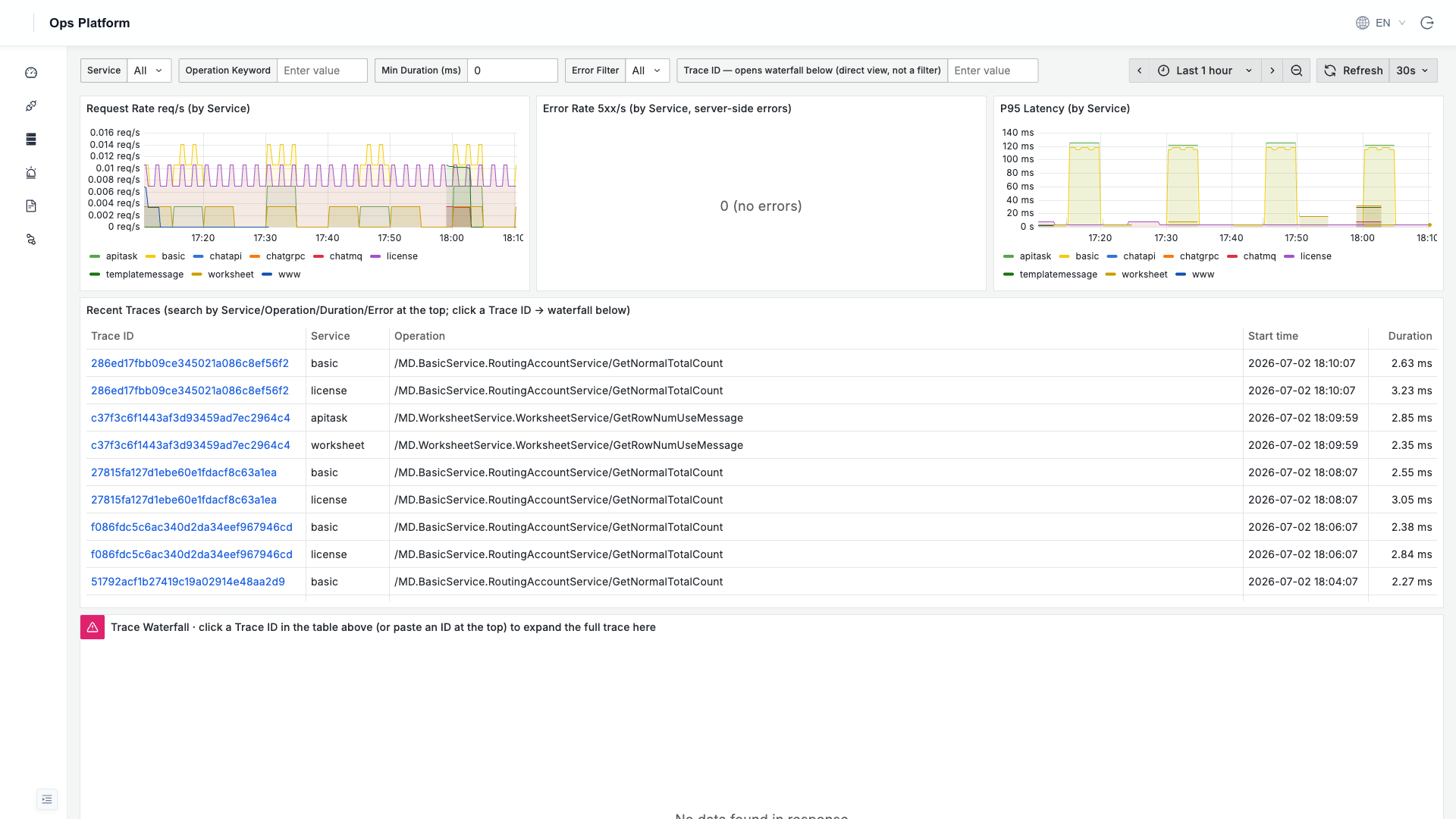
| Area | Description |
|---|---|
| Request Rate (req/s) | The request rate of each service, colored by service |
| Error Rate (5xx/s) | The server-side error rate of each service, for quickly spotting problem services |
| P95 Latency | The 95th-percentile latency of each service, for identifying slow services |
| Recent Traces (trace list) | Recent trace details (Trace ID / service / operation / start time / duration) |
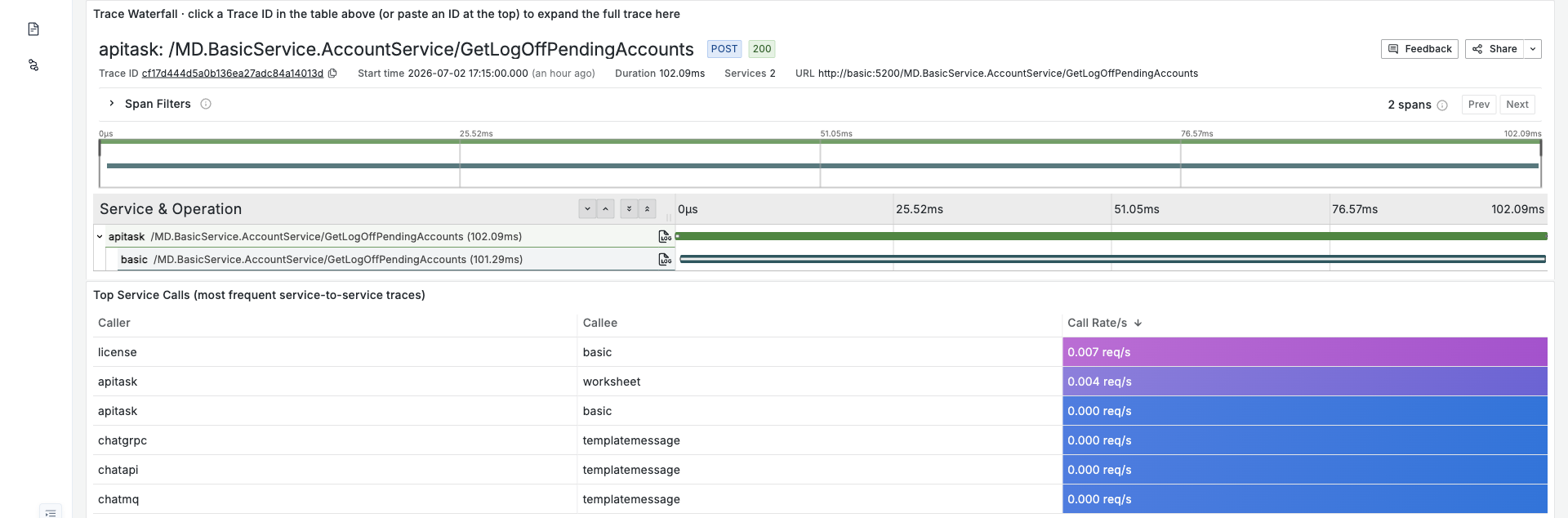
| Top Service Calls | The most frequent service → service calls and their call rates, giving a clear view of service dependencies |
Search and Drill-Down
The top of the list supports multi-dimensional filtering:
- Service: filter by service.
- Operation Keyword: filter by operation-name keyword.
- Min Duration (ms): show only traces above a duration threshold, to locate slow requests.
- Error Filter: show only traces that errored.
- Trace ID: paste a specific Trace ID to expand that trace's waterfall below (per-span latency, layer by layer) for precise investigation.
Click any Trace ID in the list to expand that request's full call waterfall below, and analyze span by span how latency is attributed across services:
Not connected yet?
Trace data is reported by your applications over OTLP. See Connecting Distributed Tracing for the steps.
Distributed tracing targets Kubernetes cluster deployments. Standalone (Docker Compose) deployments do not support it, and this page stays empty.
Trace retention is controlled by ENV_TEMPO_RETENTION (30 days by default); see Environment Variables.