WeChat Open Platform Integration Guide
Operational Scenarios
WeChat Open Platform (open.weixin.qq.com) provides OAuth 2.0-based website-application authorization login. Users authenticate via WeChat (QR-code scan on PC, in-app authorization confirmation in mobile WeChat browser), enabling HAP users to log in through WeChat authorization.
Prerequisites
- A WeChat Open Platform account that has passed developer qualification verification (business license and other corporate documents required).
- The HAP service must be reachable from the public internet, and the callback domain must have completed ICP filing (required by WeChat Open Platform).
Operation Steps
Configure WeChat Open Platform Website Application
-
Log in to WeChat Open Platform
-
Go to Management Center > Website Application, click Create Website Application

-
Fill in the basic information (application name, description, official website, icon, etc.) and click Next
cautionThe Website Information Registration Form scan is a required upload. Click the WeChat Open Platform Website Information Registration Form (the link labeled
《微信开放平台网站信息登记表》on the page) to download the template, print it, have the company seal stamped and the responsible person's signature added, then scan or photograph the signed/stamped paper copy and upload it (JPG/PNG/BMP, max 5 MB per file, up to 10 files). A missing form or an unclear seal will cause the review to fail.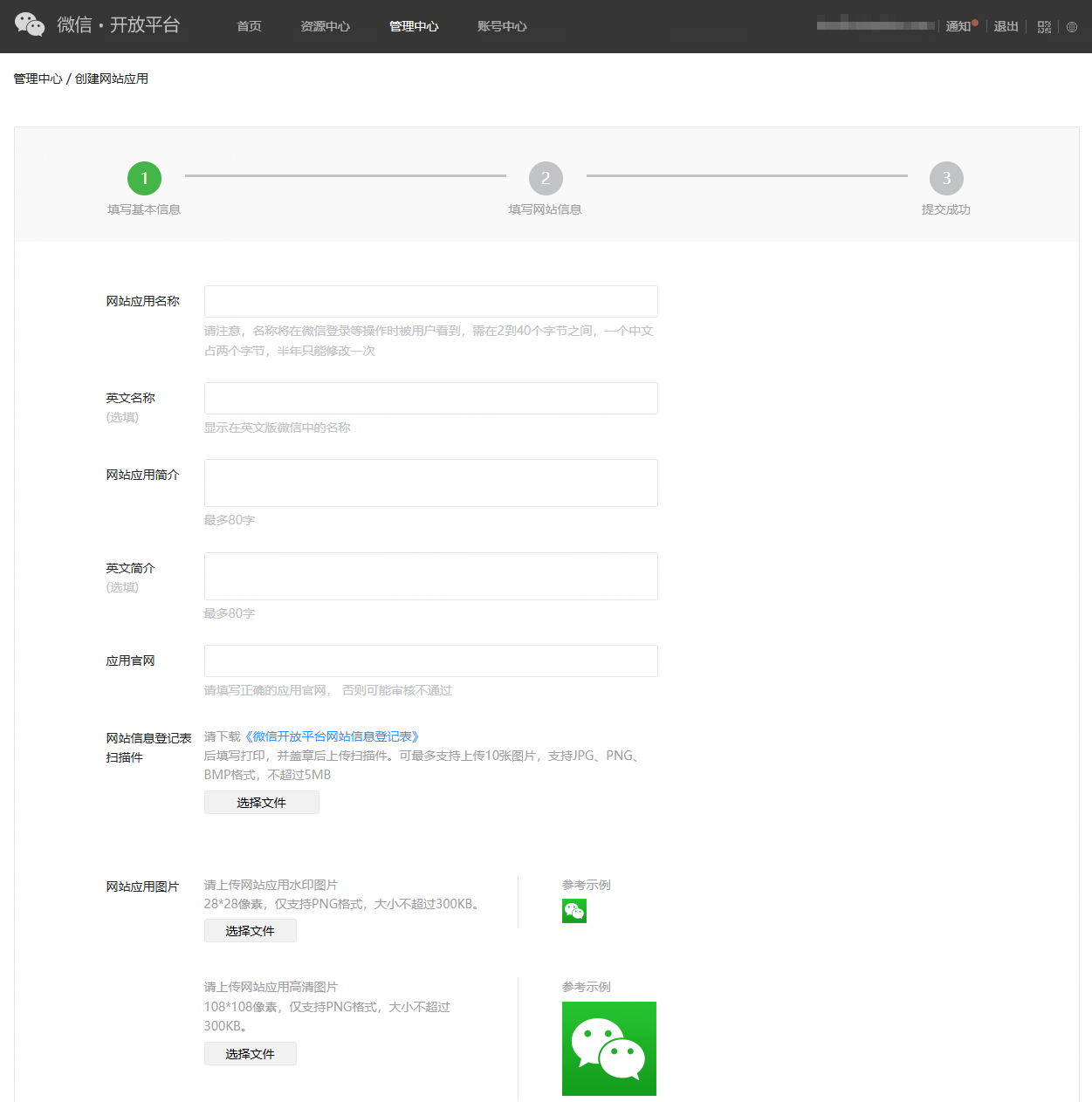
-
Fill in the Authorization Callback Domain, which must match the public domain of the HAP service (domain only — no protocol, no path)
- For example, if HAP is accessed at
https://hap.domain.com, fill inhap.domain.com - This domain must match the domain part of the Callback URL generated by HAP after adding the WeChat login service
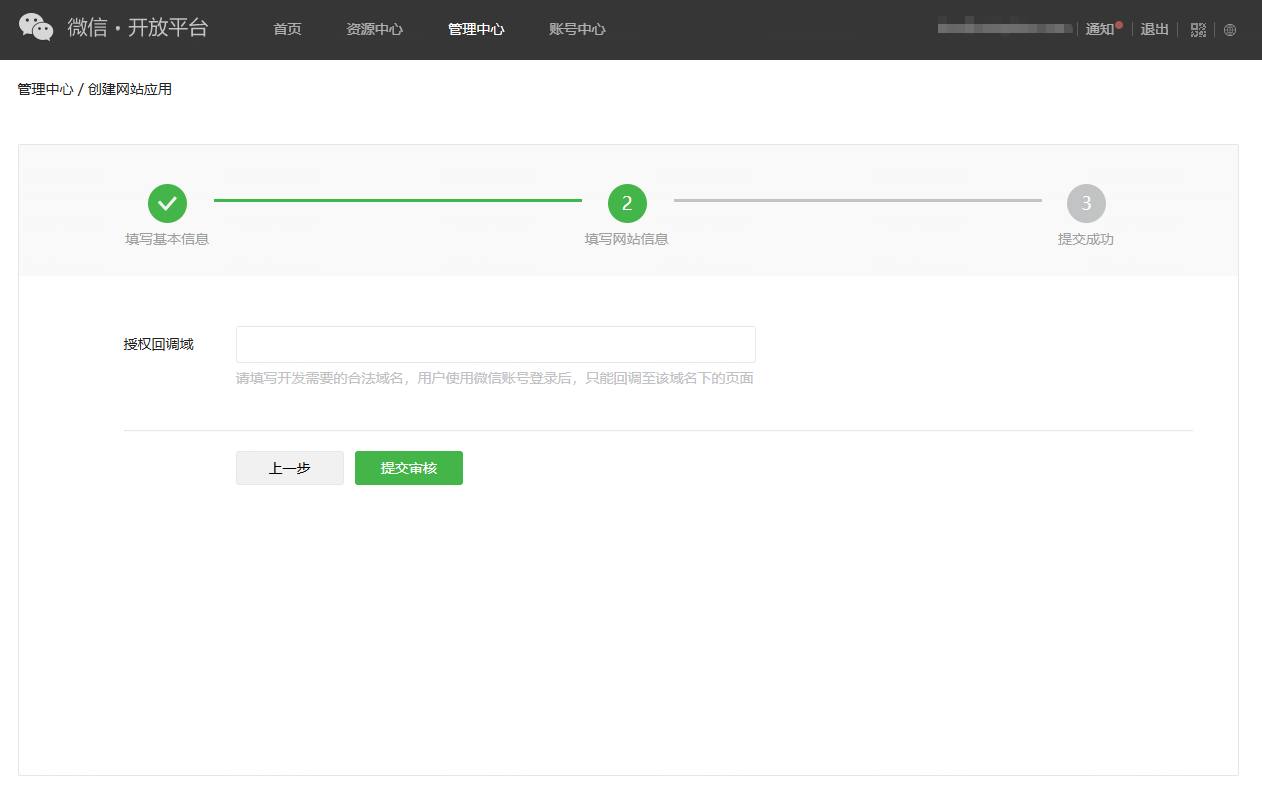
- For example, if HAP is accessed at
-
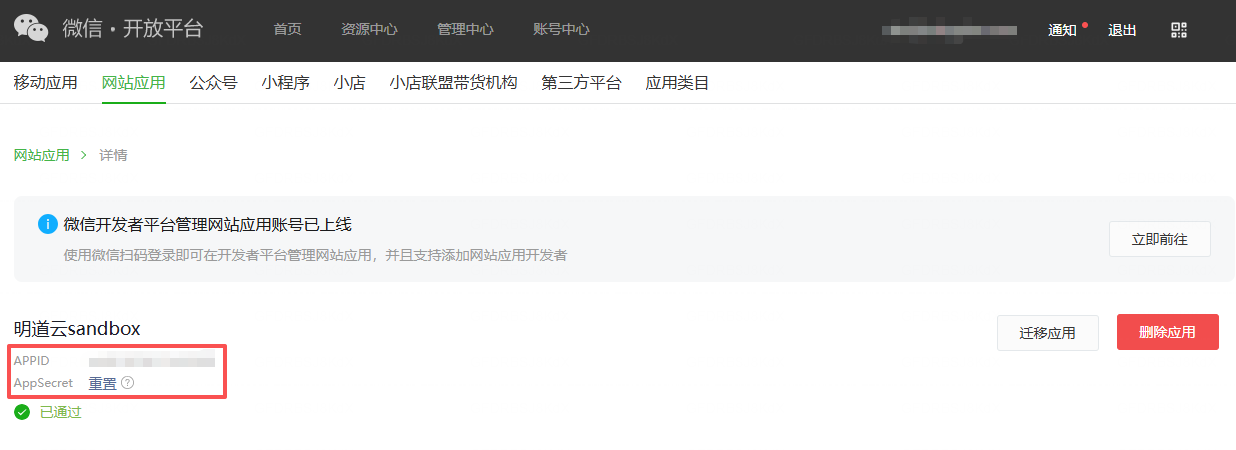
After submission, wait for the WeChat team's review. Once approved, the AppID and AppSecret are visible in the application detail page.
HAP Integration with WeChat Authorization Login
-
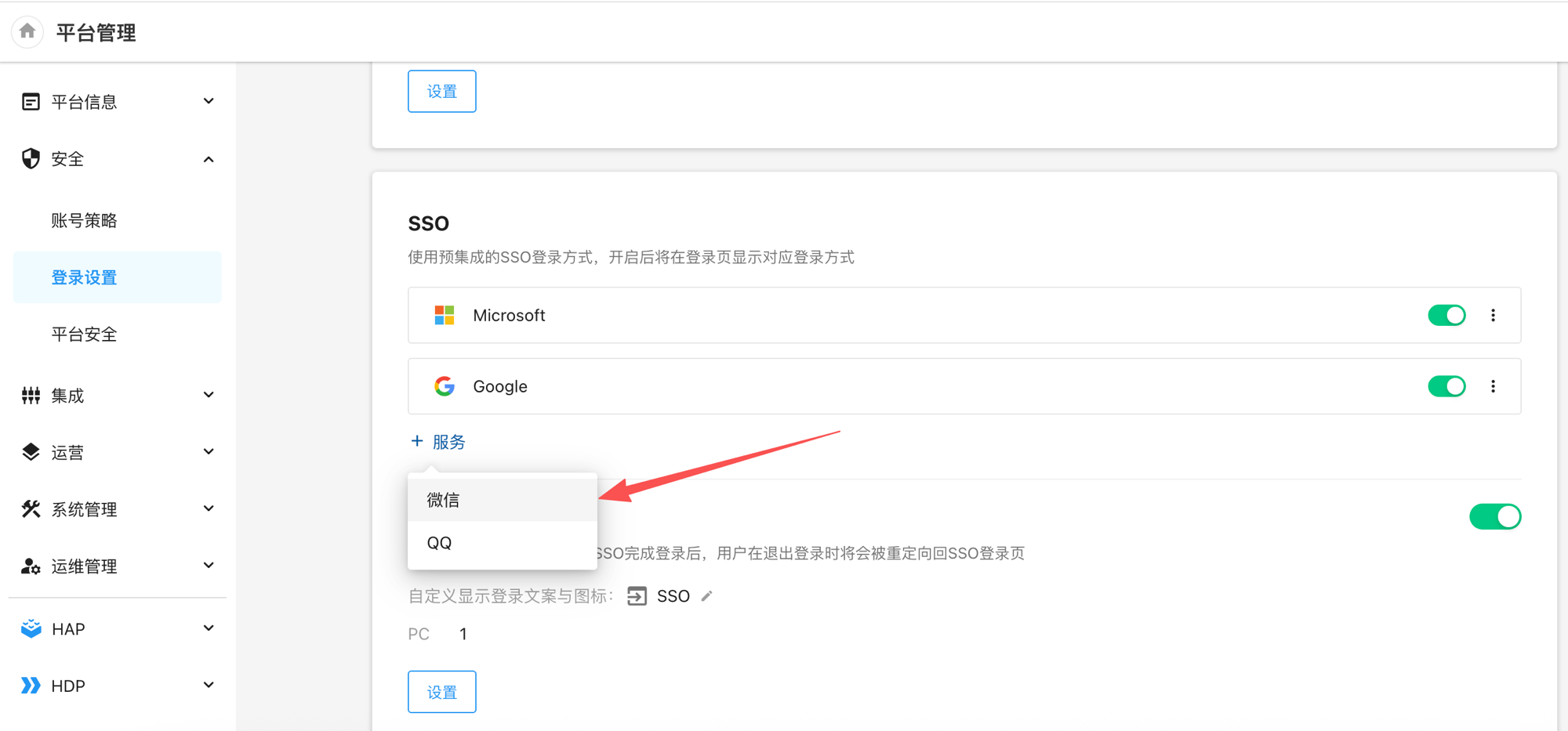
Log in to HAP as a platform administrator and go to Platform Management > Security > Login Settings
-
In the SSO section, click + Service and choose WeChat
-
In the dialog, fill in the following fields and click Save
- appid: the
AppIDof the WeChat Open Platform website application, e.g.,wx9619034219c838xxxx - appsecret: the
AppSecretof the WeChat Open Platform website application - Callback URL: auto-generated by HAP in the format
https://{HAP-domain}/orgsso/weixin/callback. Click Copy to use it in the next step.
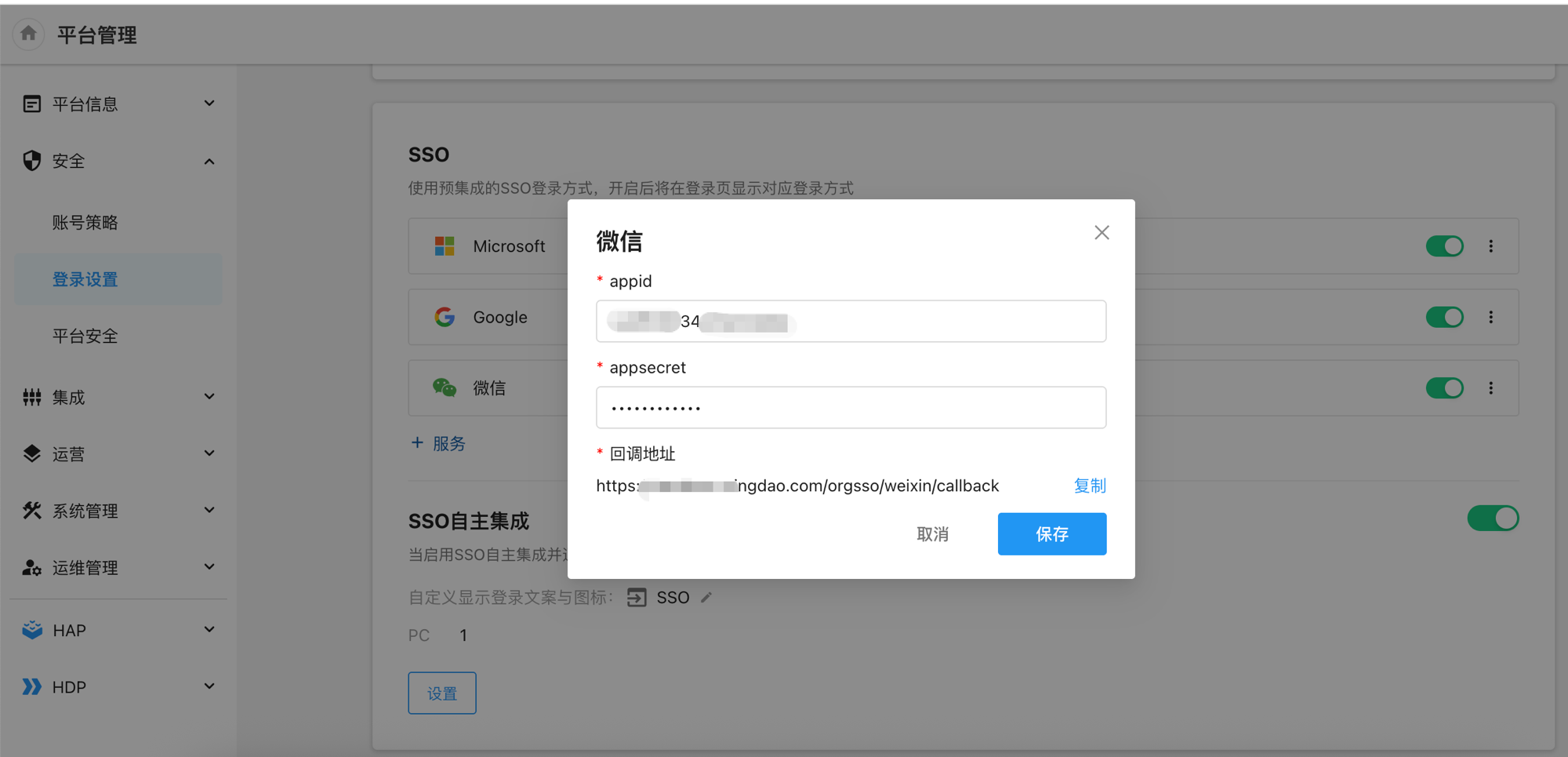
- appid: the
-
Take the domain from the Callback URL copied above (e.g.,
hap.domain.com) and fill it into the Authorization Callback Domain of the corresponding website application on WeChat Open Platform (if it was filled in during application creation, it can be edited from the application detail page). The two sides must match exactly. -
After saving, the WeChat login entry appears on the HAP login page.
User SSO Login
WeChat SSO login requires the user to bind their WeChat account in advance. Path: top-right avatar > Personal Account > Account & Privacy > Third-Party Account > select WeChat and click Bind.
If a user is not bound, even a successful WeChat authorization will redirect to the binding page instead of the login-success page. The user must complete the binding before subsequent WeChat authorization logins will go directly through.
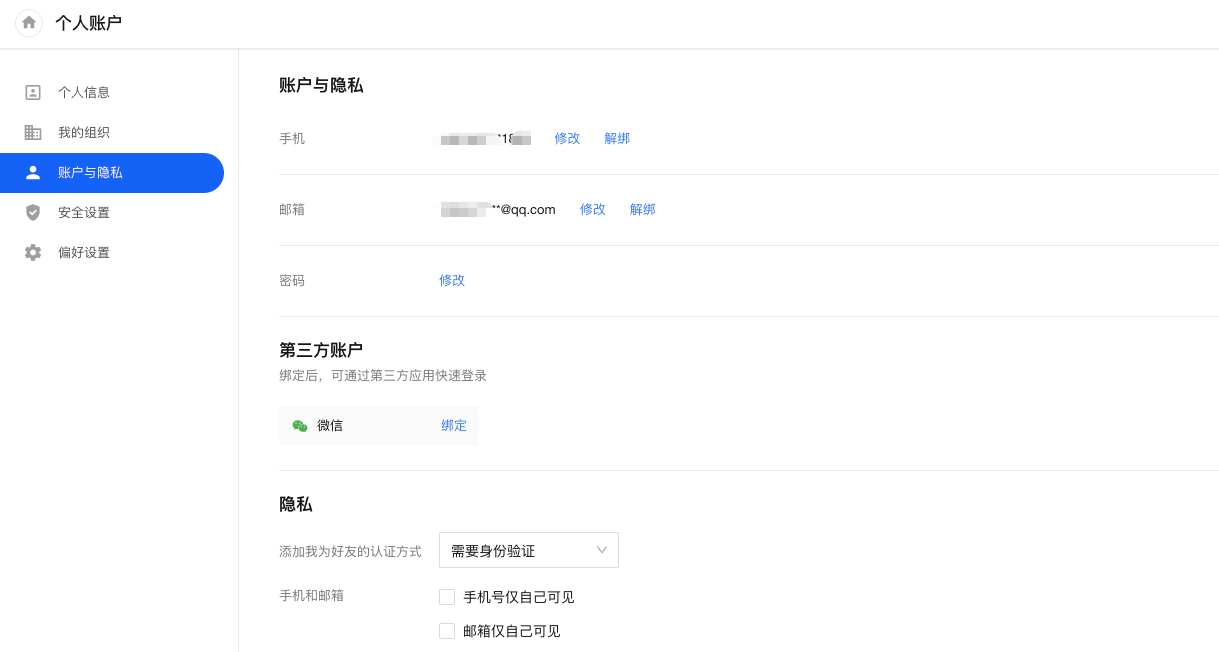
-
Visit the HAP login page and click the WeChat Login entry
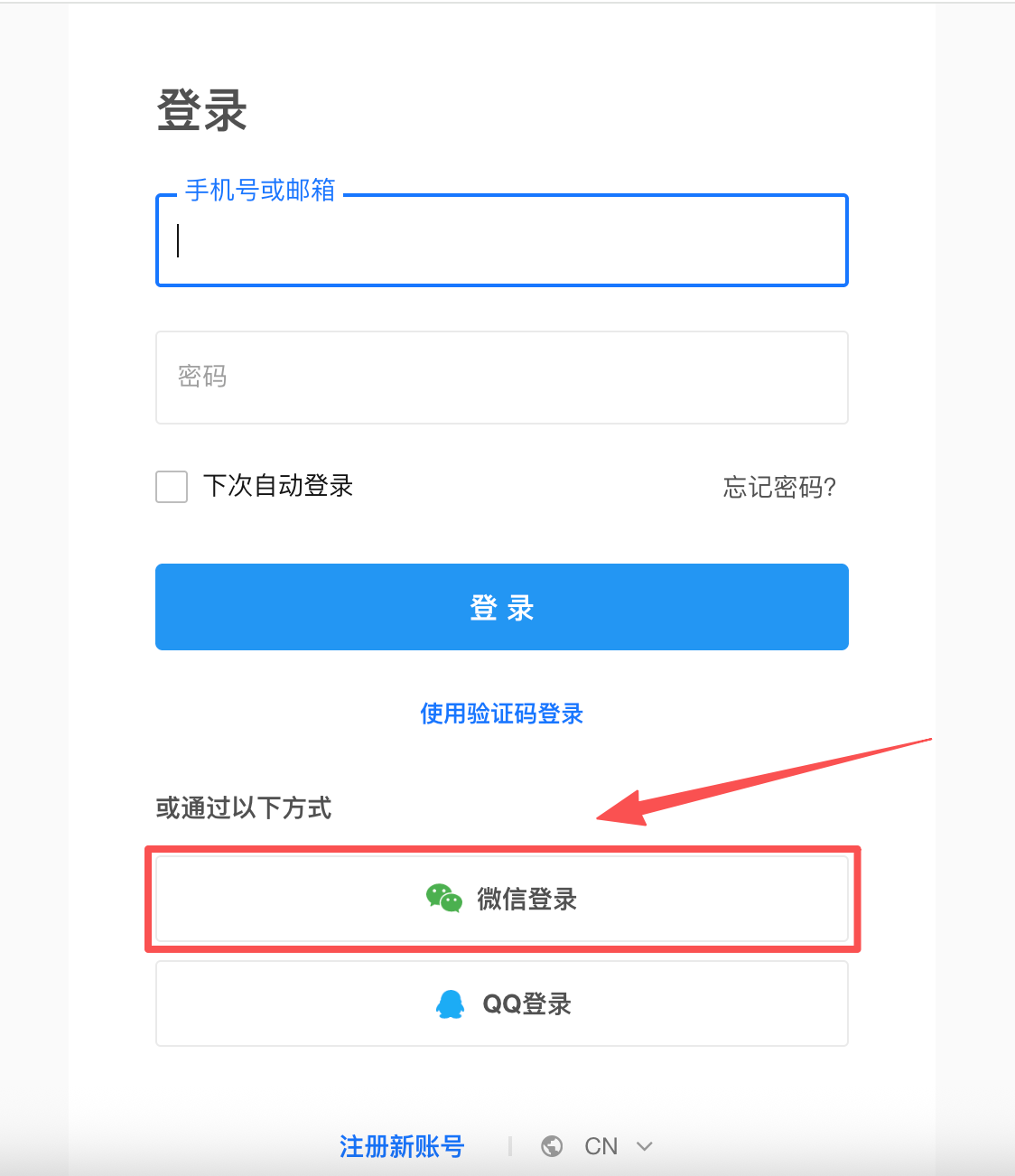
-
The browser is redirected to the WeChat authorization page. Scan the QR code with WeChat and tap Allow on the phone to grant authorization.
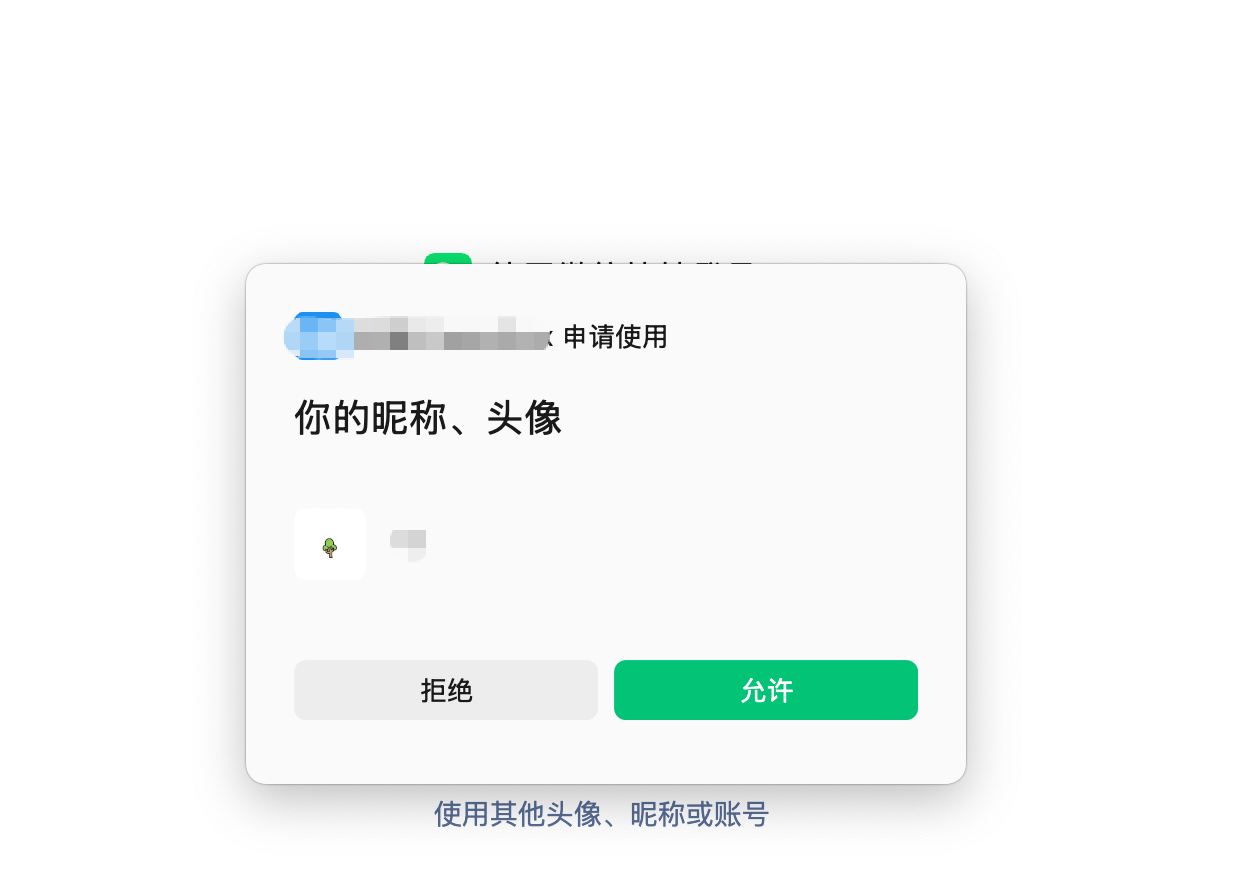
-
After authorization, the page automatically redirects back to HAP. Users with the WeChat account already bound are logged in directly; unbound users land on the binding page first and can log in once binding is complete.
-
Login failure troubleshooting
-
For private deployments, the platform administrator logs in to HAP, goes to Platform Management > Operations > Logs, and filters by service name
sso. WeChat-sideerrcode/errmsgvalues are recorded in thessoservice log. -
Common errors (categorized by the actual response):
Error Stage Investigation WeChat authorization page shows redirect_uri 参数错误(redirect_uriparameter error)When redirecting to open.weixin.qq.com/connect/qrconnectThe Authorization Callback Domain on WeChat Open Platform does not match the domain of the HAP-generated callback URL ( https://{HAP-domain}/orgsso/weixin/callback). Both sides must match exactly; the Open Platform field accepts only the domain (no protocol, no path).MissParamsBefore authorization request / on callback One of appid,appsecret, orCallback URLis missing on the HAP side, or the WeChat callback did not include acodeparameter. Re-check and re-save under Login Settings > SSO > WeChat.GetUserAccessTokenFaildExchanging codeforaccess_tokenCheck the body printed in the ssolog:
·errcode 40029invalid code: the authorization code expired or was already used — restart the login flow
·errcode 40013invalid appid: verify theappid
·errcode 40125invalid appsecret: verify theappsecret(it may have been reset)GetUserInfoFaildFetching user info with access_token+openidCheck the body printed in the ssolog:
·errcode 40001invalid credential:access_tokeninvalid or expired
·errcode 40003invalid openid:openiddoes not match the tokenAuthorization succeeds but redirects to binding page After the callback succeeds The current WeChat account is not bound to any HAP user under Personal Account > Account & Privacy > Third-Party Account. Follow the on-screen prompt to complete binding.
-