WeCom QR Code Scan
When HAP system has enabled WeCom integration, it can be configured to support scanning and entering content through the WeCom client. The specific steps are as follows:
-
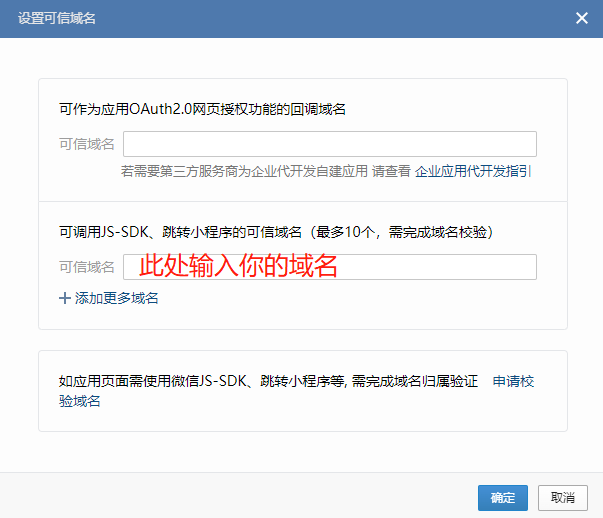
Enter the WeCom admin console, open the corresponding self-built application, and go to Webpage Authorization and JS-SDK

-
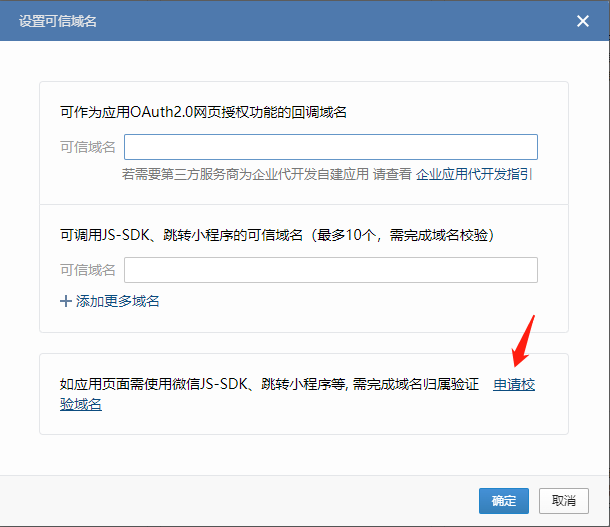
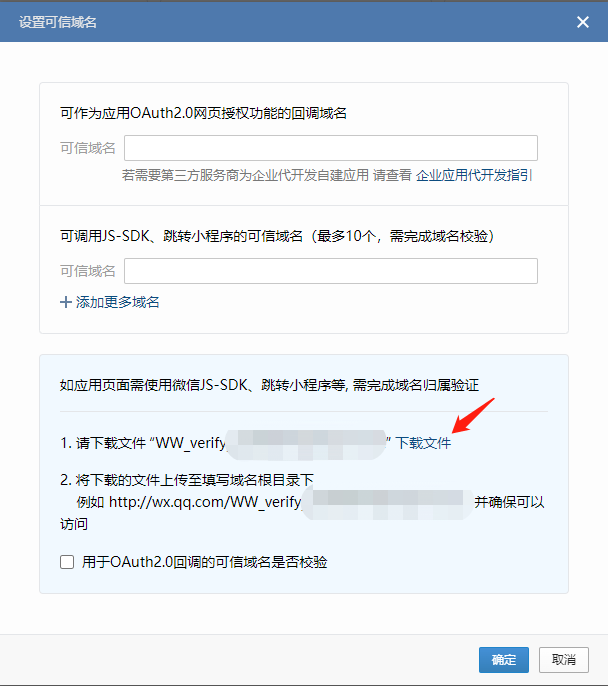
Download the trusted domain verification file
-
Before setting the trusted domain, download WW_verify_xxx.txt and upload it to the server where HAP microservices are deployed (if there are multiple microservice instances, each one needs to be executed). After uploading, execute the following command in the current path of the file:
docker cp WW_verify_xxx.txt $(docker ps | grep -E 'mingdaoyun-community|mingdaoyun-hap' | awk '{print $1}'):/usr/local/MDPrivateDeployment/www/ -
Finally, enter your domain name and click confirm to save.