WPS Online Editing
Starting with v6.0.0, online document editing is supported. Use the same AppID and AppSecret as WPS online preview.
This page provides configuration steps for the WPS Cloud Edition and the WPS Private Deployment Edition. Select the edition that matches your environment. In addition to AppID and AppSecret, the private deployment edition requires ENV_WPS_HOST and ENV_WPS_ISPRIVATE.
Network requirements: Ensure that the server hosting the HAP microservices has network connectivity to the WPS service address, and that the WPS platform can access the HAP platform access address, so that document service requests and callbacks can be completed successfully.
- WPS Cloud Edition
- WPS Private Deployment Edition
-
Visit https://solution.wps.cn/ (Register first if you do not have an account)
-
Refer to the integration process documentation at https://solution.wps.cn/docs/console/flow.html and confirm that the required preparation is complete
Select Online Editing Preview as the type for both the test application and the production application.
-
Configure the callback gateway of the production application in the format
HAP system access address/wps, for example: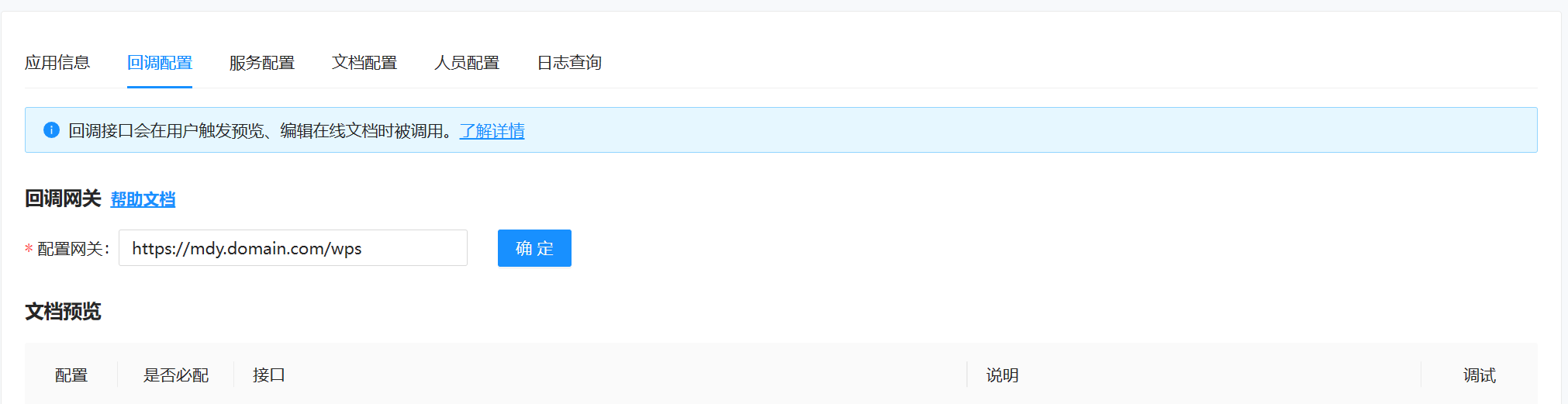
-
Obtain the
AppIDandAppSecretof the production application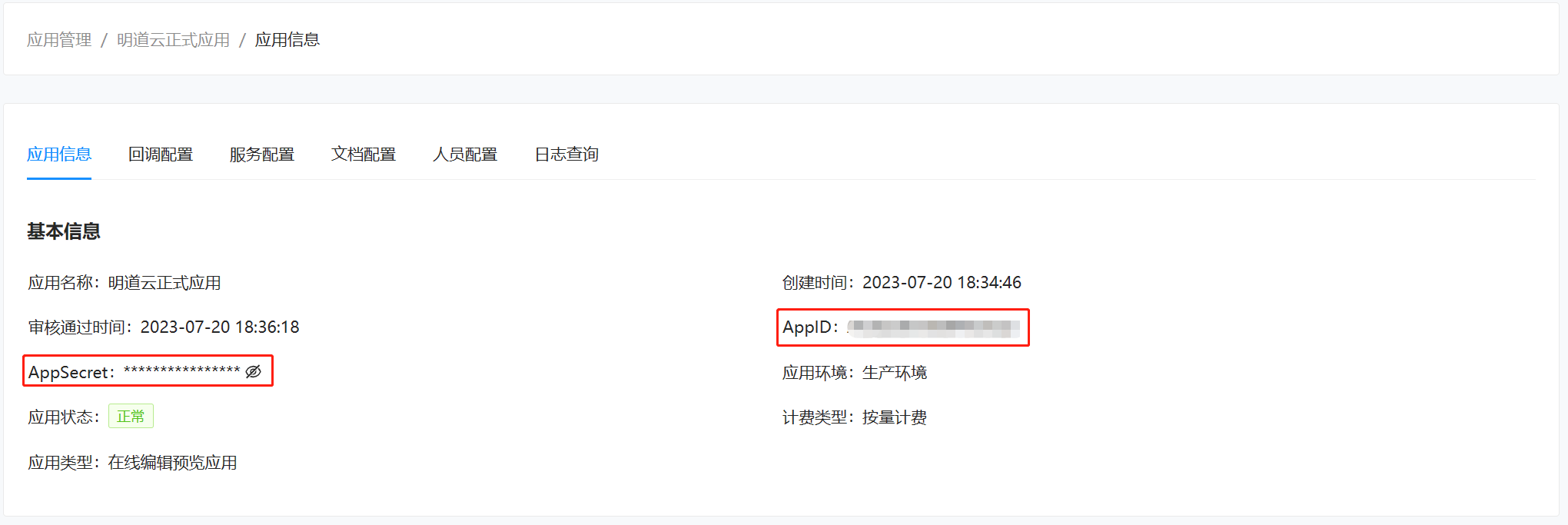
-
Set the environment variables in the YAML configuration file of the corresponding microservice application:
ENV_WPS_PREVIEW_APPID: 'AppID value'ENV_WPS_PREVIEW_APPSECRET: 'AppSecret value' -
Restart the service
-
Complete the deployment and application configuration of the WPS Private Deployment Edition, and obtain the private WPS preview service address,
AppID, andAppSecret -
Configure the callback gateway as required by the WPS Private Deployment Edition, using the format
HAP system access address/wps -
Set the environment variables in the YAML configuration file of the corresponding microservice application:
ENV_WPS_PREVIEW_APPID: 'AppID value'ENV_WPS_PREVIEW_APPSECRET: 'AppSecret value'ENV_WPS_HOST: 'http://wps.example.com'ENV_WPS_ISPRIVATE: 'true'ENV_WPS_HOSTis the private WPS preview service address, andENV_WPS_ISPRIVATEmust be set totrue. -
Restart the service