Dameng Database Integration Guide
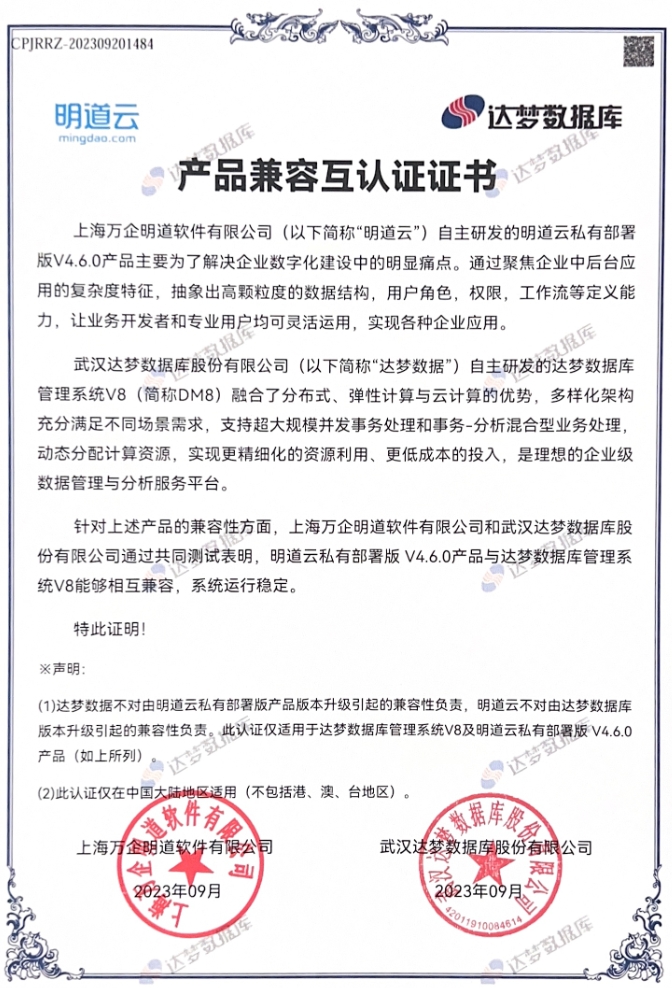
HAP Server uses MySQL as its default relational database. Since v4.6.0, it also supports Dameng. For environments with domestic technology requirements, you can use this database instead of MySQL.
Follow these integration steps:
-
Deploy Dameng DM8 in single-node or primary-replica cluster mode (Enterprise or Security Edition).
For HAP standalone deployments or simplified clusters, choose single-node mode. For standard or professional clusters, choose primary-replica cluster mode.
-
Note these three requirements when deploying Dameng:
-
Use case-insensitive mode.
-
Edit dm.ini in the data directory to exclude reserved keywords.
EXCLUDE_RESERVED_WORDS=status,type,interval -
Use a separate user for each database (HAP requires five databases).
-
-
After deploying Dameng, download the HAP database initialization scripts and upload them to the Dameng environment (inside the container for container deployments).
1_Tablespace.sql contains database storage paths and initial passwords. Modify them as needed. -
Initialize the data
Connect to Dameng using disql. See the SQL Interactive Query Tool. Adjust the username, password, IP address and port for your environment.
/opt/dmdbms/bin/disql SYSDBA/SYSDBA001@127.0.0.1:5236Set the encoding
SET CHAR_CODE UTF8Run the initialization scripts (adjust the
/usr/local/init_dameng/path for your environment).start /usr/local/init_dameng/1_Tablespace.sqlstart /usr/local/init_dameng/2_MDProject.sqlstart /usr/local/init_dameng/3_MDStructure.sqlstart /usr/local/init_dameng/4_MDApplication.sqlstart /usr/local/init_dameng/5_MDCalendar.sqlstart /usr/local/init_dameng/6_MDLog.sqlstart /usr/local/init_dameng/7_Data_MDProject.sqlstart /usr/local/init_dameng/8_Data_MDApplication.sql -
Initialize HAP services
- Dameng Single Node
- Dameng Data Watch Cluster
Before initializing services, add the following environment variables to connect to Dameng (replace connection parameter values with actual values).
ENV_RDB_TYPE: "3"ENV_RDB_URI_MDPROJECT: "Server=127.0.0.1:5236;UserId=MDPROJECT;PWD=******;Database=MDPROJECT"ENV_RDB_URI_MDLOG: "Server=127.0.0.1:5236;UserId=MDLOG;PWD=******;Database=MDLOG"ENV_RDB_URI_MDSTRUCTURE: "Server=127.0.0.1:5236;UserId=MDSTRUCTURE;PWD=******;Database=MDSTRUCTURE"ENV_RDB_URI_MDCALENDAR: "Server=127.0.0.1:5236;UserId=MDCALENDAR;PWD=******;Database=MDCALENDAR"ENV_RDB_URI_MDAPPLICATION: "Server=127.0.0.1:5236;UserId=MDAPPLICATION;PWD=******;Database=MDAPPLICATION"ENV_STANDALONE_DISABLE_SERVICES: "mysql"The Dameng Data Watch Cluster is a high-availability solution with a primary-standby architecture. A standard configuration includes three key nodes:
-
Primary node - handles all read and write requests
-
Standby node - synchronizes data in real time and provides read-only access
-
Monitor node - monitors cluster status and manages automatic failover
To reconnect automatically to the new primary after failover, use the high-availability connection mechanism provided by the Data Watch Cluster instead of connecting directly to one primary IP address.
Configuration:
-
Mount the configuration file at
/etc/dm_svc.confinside the HAP service container, with the following contents:TIME_ZONE=(480)LANGUAGE=(cn)LOGIN_MODE=(1)DMHA=(172.16.1.1:5236,172.16.1.2:5236)-
Replace the IP addresses and ports in DMHA with the actual primary and standby node addresses and ports.
Parameter Description Example TIME_ZONE Default client time zone, from -779 to 840 minutes.
60 means +1:00; +480 means UTC+8. If omitted, the operating system time zone is used.(480) LANGUAGE Language:
(cn) Chinese / (en) English(cn) LOGIN_MODE Preferred server mode.
0: PRIMARY, then NORMAL, then STANDBY;
1: primary only;
2: standby only;
3: STANDBY, then PRIMARY, then NORMAL;
4: NORMAL, then PRIMARY, then STANDBY.(1) DMHA Comma-separated list of primary and standby addresses. The parameter name can be customized.
The client tries each address in order.(172.16.1.1:5236,172.16.1.2:5236) -
-
Before initializing services, add the following environment variables to connect to Dameng (replace connection parameter values with actual values).
ENV_RDB_TYPE: "3"ENV_RDB_URI_MDPROJECT: "Server=DMHA;UserId=MDPROJECT;PWD=******;Database=MDPROJECT"ENV_RDB_URI_MDLOG: "Server=DMHA;UserId=MDLOG;PWD=******;Database=MDLOG"ENV_RDB_URI_MDSTRUCTURE: "Server=DMHA;UserId=MDSTRUCTURE;PWD=******;Database=MDSTRUCTURE"ENV_RDB_URI_MDCALENDAR: "Server=DMHA;UserId=MDCALENDAR;PWD=******;Database=MDCALENDAR"ENV_RDB_URI_MDAPPLICATION: "Server=DMHA;UserId=MDAPPLICATION;PWD=******;Database=MDAPPLICATION"ENV_STANDALONE_DISABLE_SERVICES: "mysql"- Unlike a single-node connection, set Server to the service name
DMHAdefined in/etc/dm_svc.conffor the primary and standby nodes.
- Unlike a single-node connection, set Server to the service name
-
Complete the remaining system initialization steps.