Lite Installation Mode
The Lite Installation Mode is designed to reduce resource consumption by disabling non-core modules and their derived services, enabling a lightweight runtime environment.
How to Enable
Add the following environment variable to the docker-compose.yaml configuration file:
ENV_LITE_ENABLE: "true"
Enable Modules on Demand
In Lite mode, you can still enable specific modules as needed by adding the following environment variable:
ENV_ENABLE_MODULES: "ai"
Multiple modules can be specified using commas:
ENV_ENABLE_MODULES: "ai,collab"
Resource Usage Comparison
The following comparison is based on deploying a new environment with the same version (primarily focusing on memory usage):
-
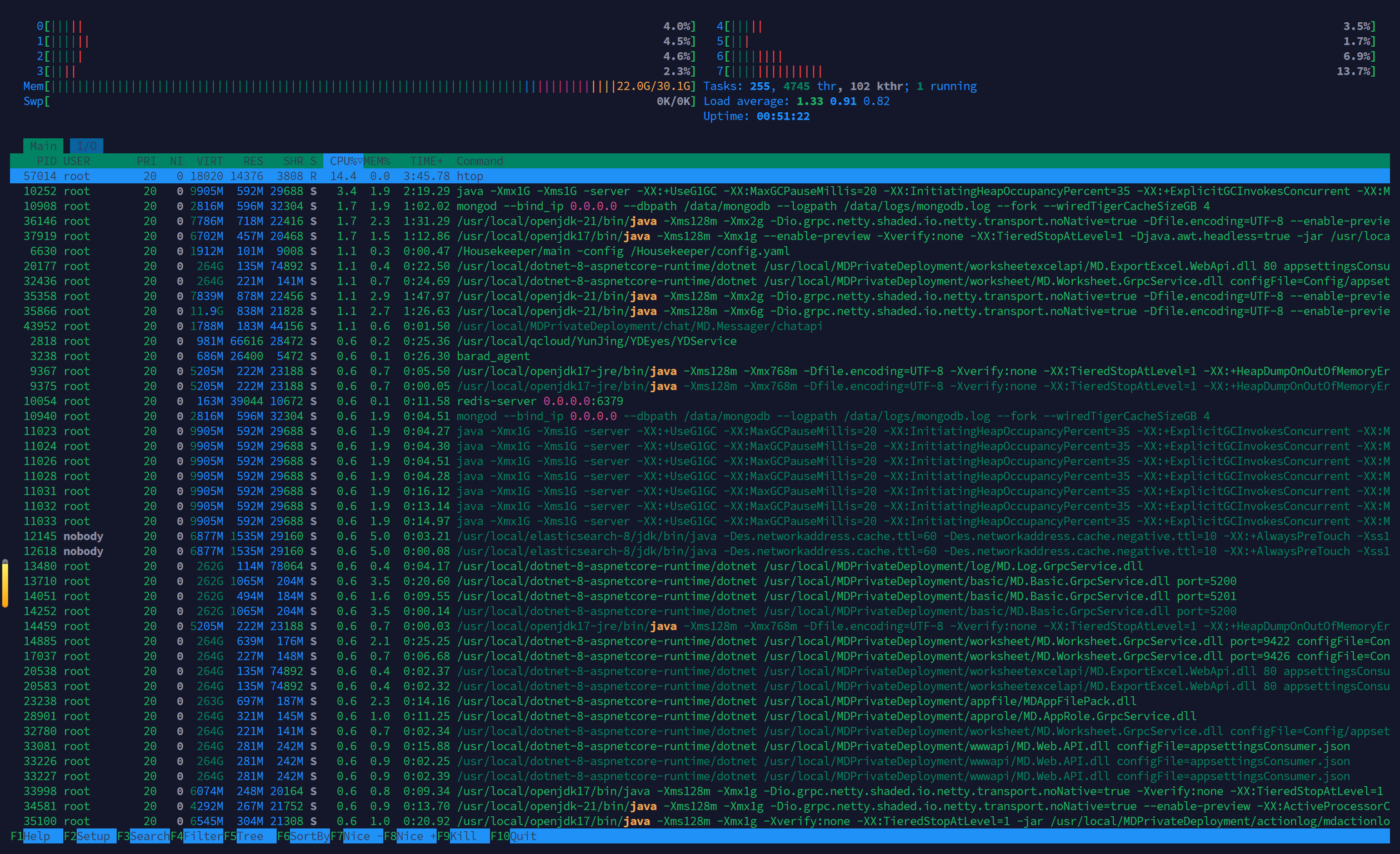
Standard Installation Mode
Memory usage: approximately 22GB
-
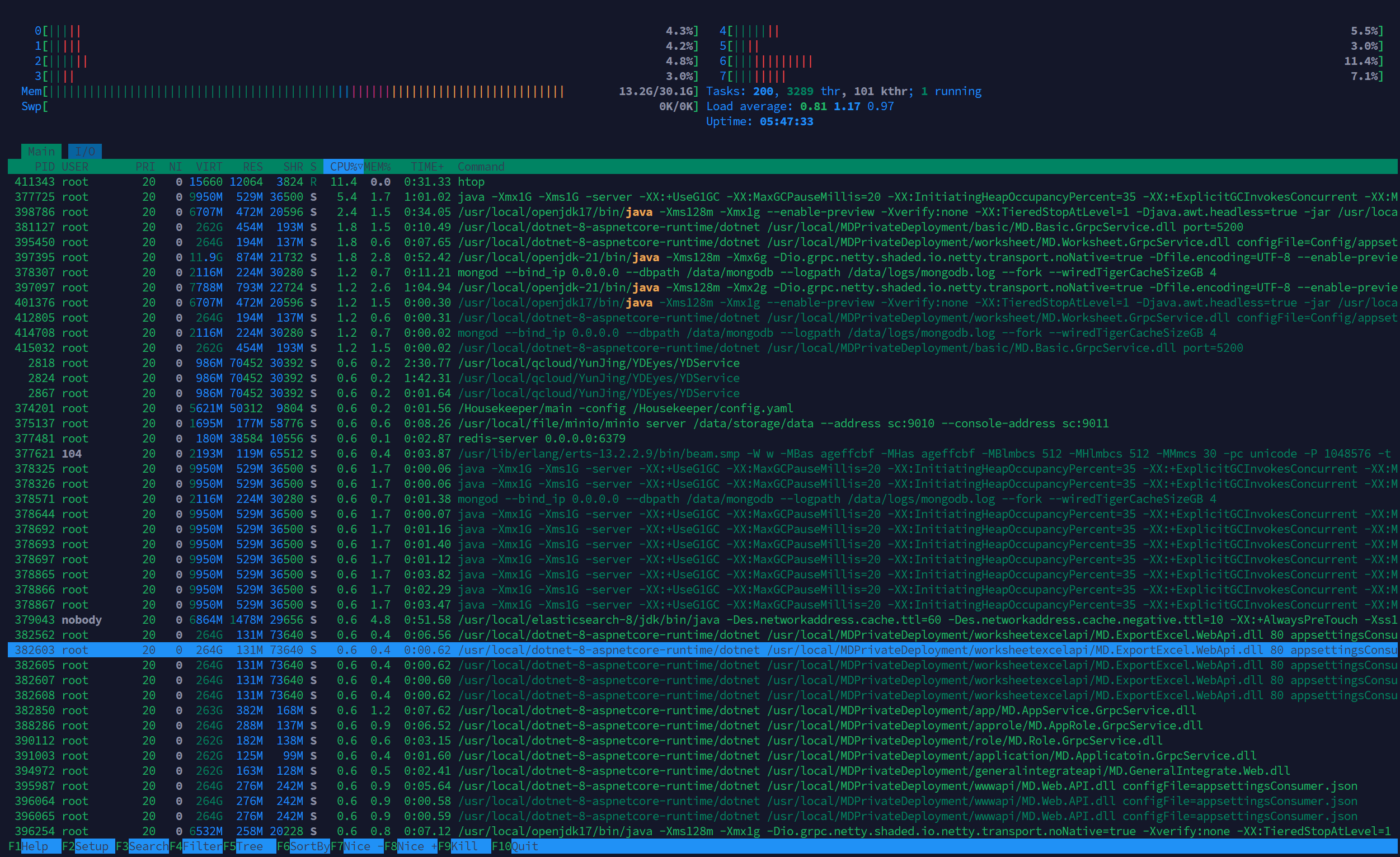
Lite Installation Mode
Memory usage: approximately 13GB, a reduction of about 40%. To ensure initial system usability, it is recommended to allocate at least 4 CPU cores and 24GB RAM (≥4C24G) in Lite mode.
Core Mechanism
-
Module Pruning
When Lite mode is enabled:
- Optional modules are not started by default
- Derived services are not started
-
What Are “Derived Services”
Derived services are independent instances split from core services to handle high-concurrency scenarios. Their purpose is to:
- Prevent a single service from being overloaded
- Avoid interference between different business operations
Example:
Service Name Description worksheet Main worksheet service worksheetonlybutton Derived service for workflow button execution worksheetonlyexcel Derived service for Excel import 👉 Essentially the same service, but isolated by usage scenario.
Module and Service Mapping
-
Module List
Module Related Services Description datapipeline datapipeline
worksheetexcelapionlydatapipelineData Pipeline
Data Pipeline with worksheet synccollab calendar、calendaralert、alert、taskcentergrpc、taskcentergrpc
urlparser、searchapi、searchindexCollaboration – Calendar
Collaboration - Task
Collaboration - Post、Collaboration - File
Collaboration - Searchnative_app push、pushmq Native App (Android, iOS, HarmonyOS) push notifications ai ai AI service mcp mcp MCP service ocr ocr OCR service weixin tpuser WeChat Official Account integration worksheet_search worksheetsearch Worksheet record search workflow_puppeteer commandpuppeteer Workflow UI snapshot -
Derived Services List
Module Description basiconlyworkflow Basic service (workflow execution) basiconlyintegrate Basic service (organization integration: API, WeCom, DingTalk, etc.) structureonlyworkflow Reporting structure service (workflow execution) worksheetonlyworkflow Worksheet service (workflow execution) worksheetonlybutton Worksheet service (workflow button execution) worksheetonlyexcel Worksheet service (Excel import) worksheetonlyworkflowr Worksheet service (workflow internal queue) worksheetonlyworkflowrc Worksheet service (workflow internal queue messaging) worksheetonlybasic Worksheet service (external portal) workflowrouter Workflow slow queue service (called by worksheetonlyworkflow) workflowrouterconsumer Workflow slow queue consumer service